Sunday, 23 June 2013

Used clothes for cash

need more room for new clothes.!!!!!! now u can giv old clothes for cash in blackburn

Thursday, 20 June 2013

A mind blowing scrub to use for ur body n feet..

Bismillah.
Today im showing u how to make a scrub. . Which can be use on ur feet n body and leav it smooth shiny and clear.. It works for all type of skins
Plz.dont use it on ur face
Now here is the idea
We will need olive oil
Sugar
Any.bodyscrub
Put some oil im a jar with lid and add sugar untill it gives u a gud scrub formula.
Now this a trik add some scrub this.will give it.nice smell.
Keep it in you bathroom.
U can use.it once a week and u will notice the diffrence.
Hope u like it

Thursday, 13 June 2013

easy waxing

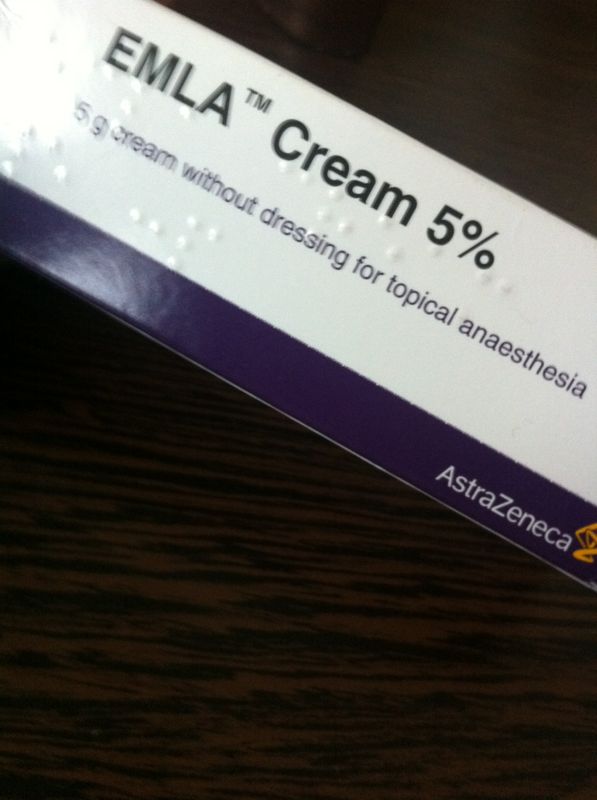
Now u can wax n thread ur face n any part of ur body without pain. With emla cream u will fimd it at (pharmacy). Also used for.tatoes
Friday, 7 June 2013

How to die ur dark hair

1. Keep ur hair dry.
2. Put blond colur first.
3, wash colur out. Dry hair
4. Put ur favorite colur. Enjoy

For smooth skin

For skin looking healthy
Try these oils.
Organ oil
Rose oil
Wheat germ oil
All availible at
H&b shops

Wednesday, 29 May 2013

David Feinzeig-How to fix “Camera Failed” error on Samsung Galaxy S II (or other Samsung Android devices)

How to fix “Camera Failed” error on Samsung Galaxy S II (or other Samsung Android devices)

If you are reading this, you’ve probably had your Samsung Galaxy S II (or other Samsung device) display the apparently fairly common “Camera Failed” message. Over the past month I too have had this annoyance pop up on my Samsung Galaxy S II Skyrocket several times. Googling the problem yields suggestions ranging from uninstalling flashlight apps to returning phones. While certainly there must be people who are in fact having hardware problems with the camera, I think most of us are having a software issue. This issue totally feels like some system resources not properly releasing the camera, keeping it locked and preventing the camera app and other apps from accessing the camera hardware.
After a bunch of trial and error, I think I have figured out a consistent way to quickly and easily fix this problem when it does occur, releasing the camera hardware for use by any app.
First, go into Settings, and choose Applications.
How to fix camera failed, step 1
From the Applications menu, choose Running Services.
How to fix camera failed, step 2
When shown the list of Running services, press the Menu key to show the option Show cached processes. Select Show cached processes.
How to fix camera failed, step 3
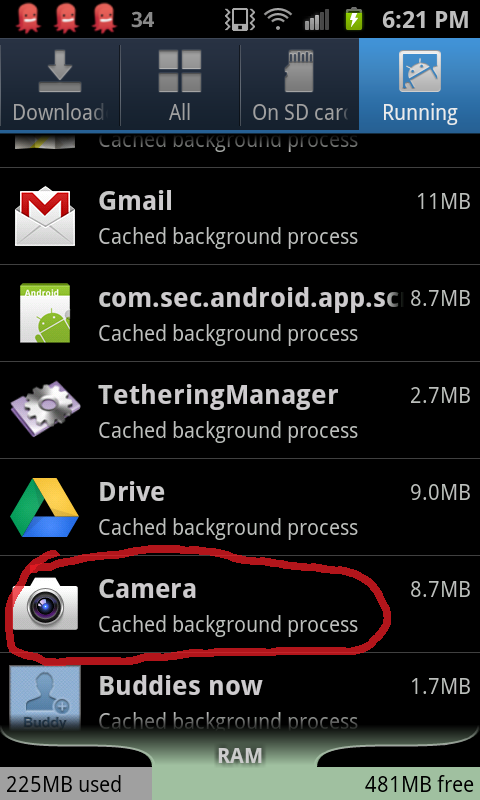
Scrolling through the list of cached processes look for the Camera app and select it.
How to fix camera failed, step 4
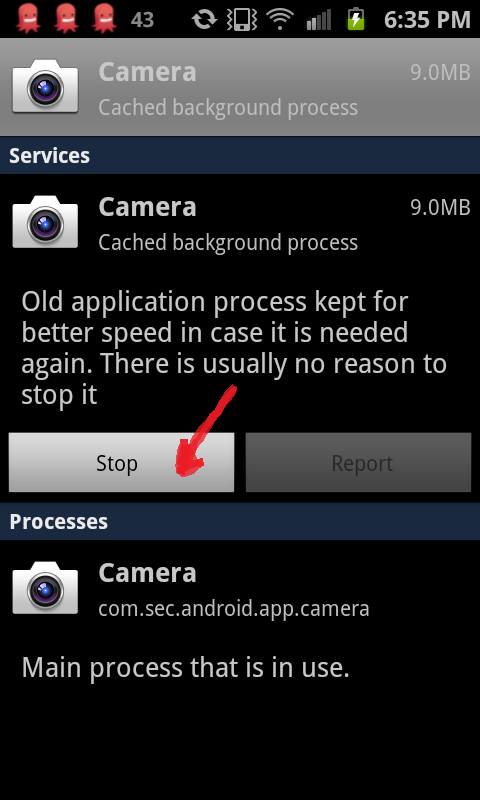
When you select the Camera process you will have the option to Stop it. Choosing Stop should successfully release the camera hardware.
How to fix camera failed, step 5
After stopping the cached camera process, return to your home screen and try relaunching the camera app or whatever other app you were trying to run when you ran into the “Camera Failed” error message. It should now successfully start with access to the camera.